
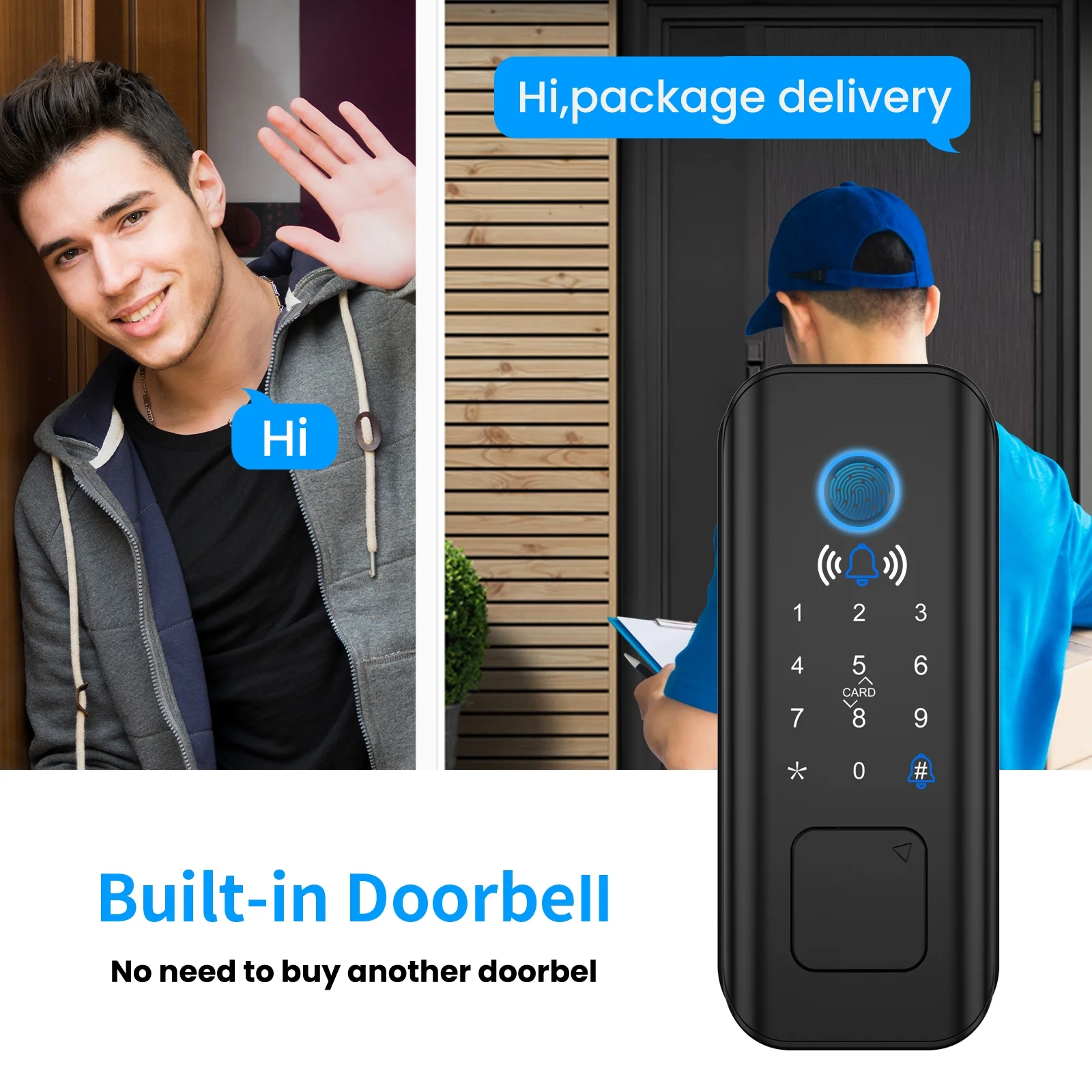
AUOSHI Security Smart Lock Fingerprint Door latch Keyless Entry Wi-Fi Door Lock Wireless Electronic Deadbolt with Touchscreen Keypad doorbell key IC Card App Control IP65 Waterproof Matte Black
Free U.S. shipping · Shipping details
AUOSHI SECURITY SMART LOCK!
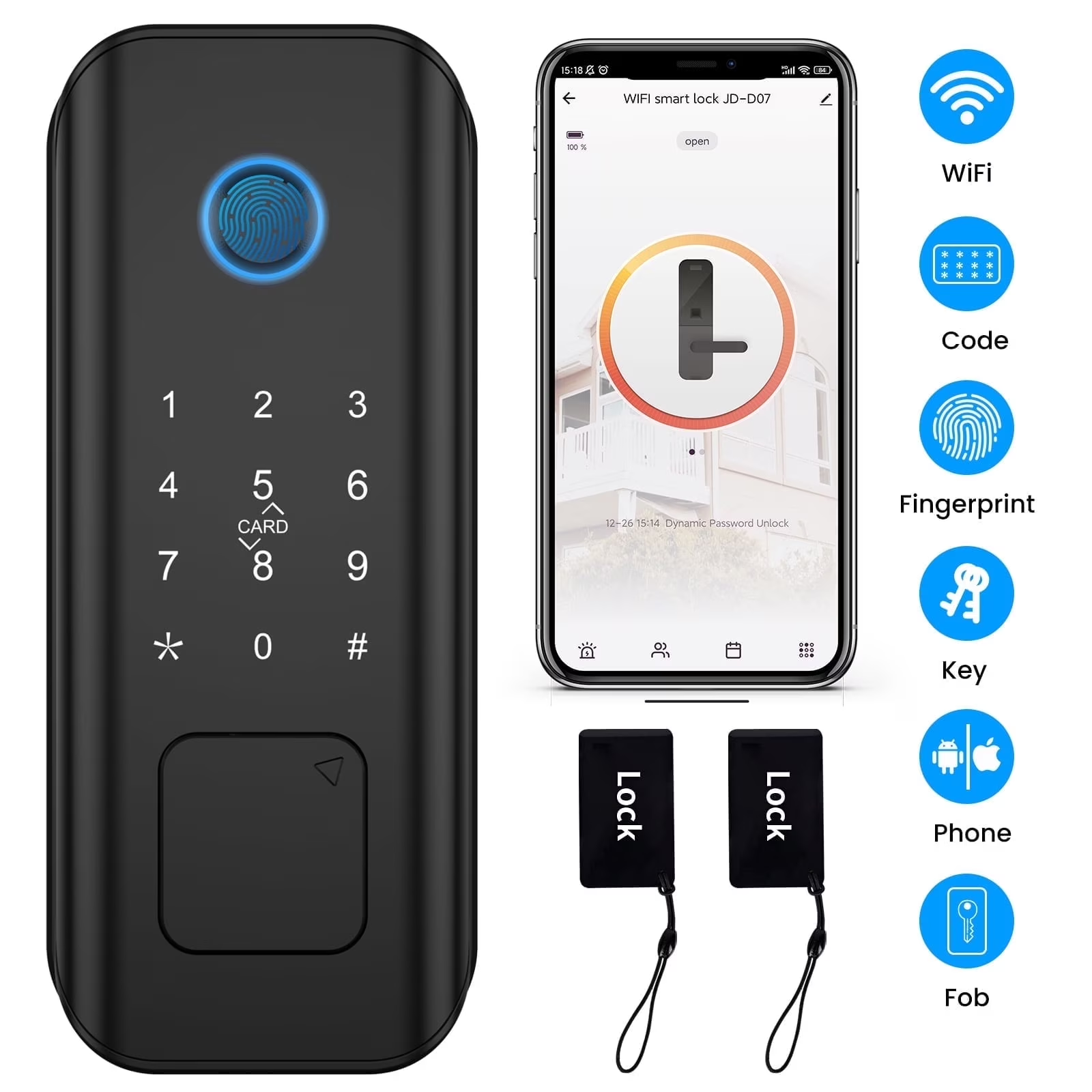
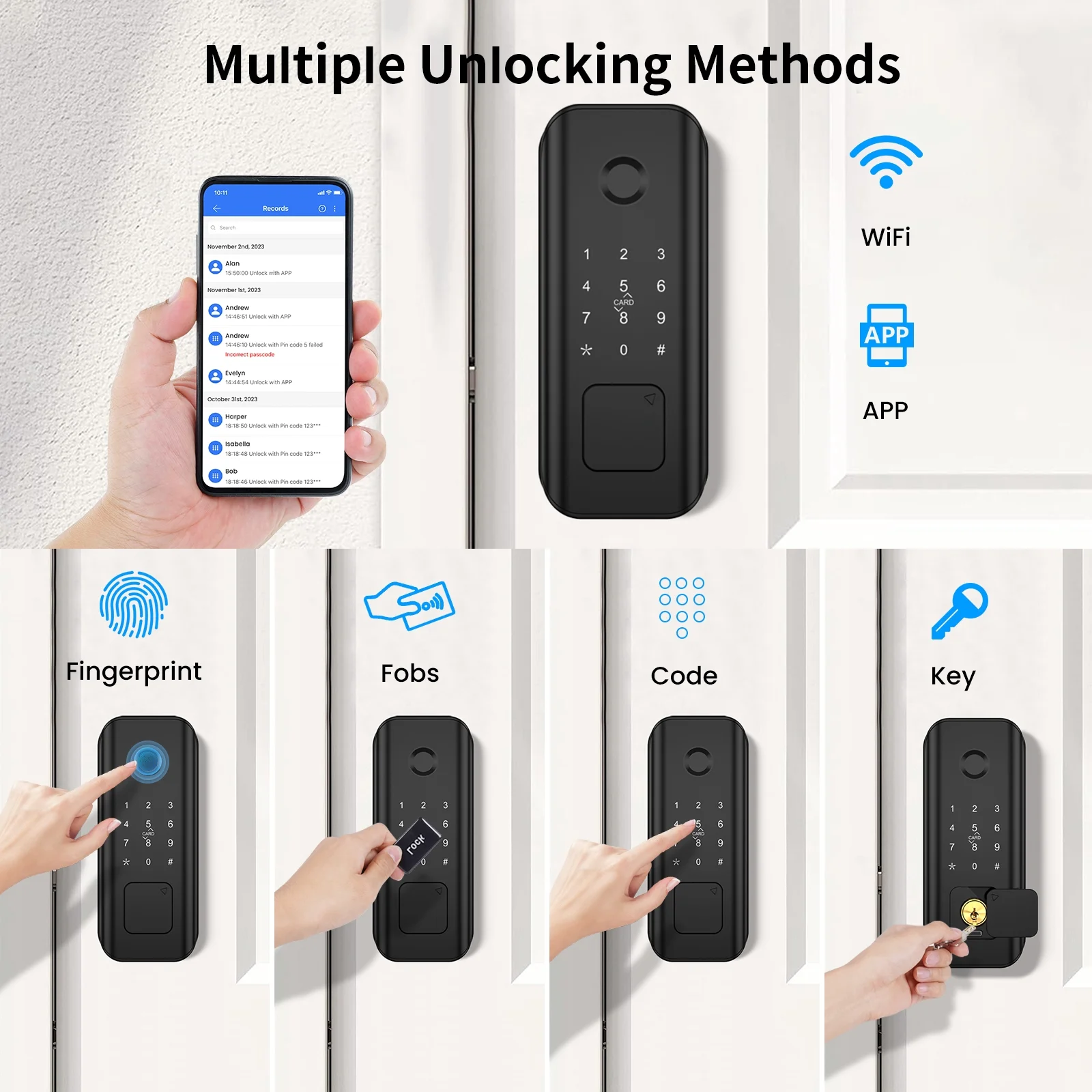
Advanced Keyless Entry WiFi Smart Door Lock offers multiple convenient ways to unlock your door:
1. Fingerprint Recognition: Unlock your door with a simple touch.
2. Passcode Entry: Enter a secure PIN code for quick access.
3. IC Card Access: Swipe your card for effortless entry.
4. Remote Unlock via Mobile App: Control your lock remotely using the app.
5. Traditional Keys: As a backup, we provide traditional keys for your peace of mind.
Specification
Unlock type: Fingerprint, password, IC card, key, APP remote unlock
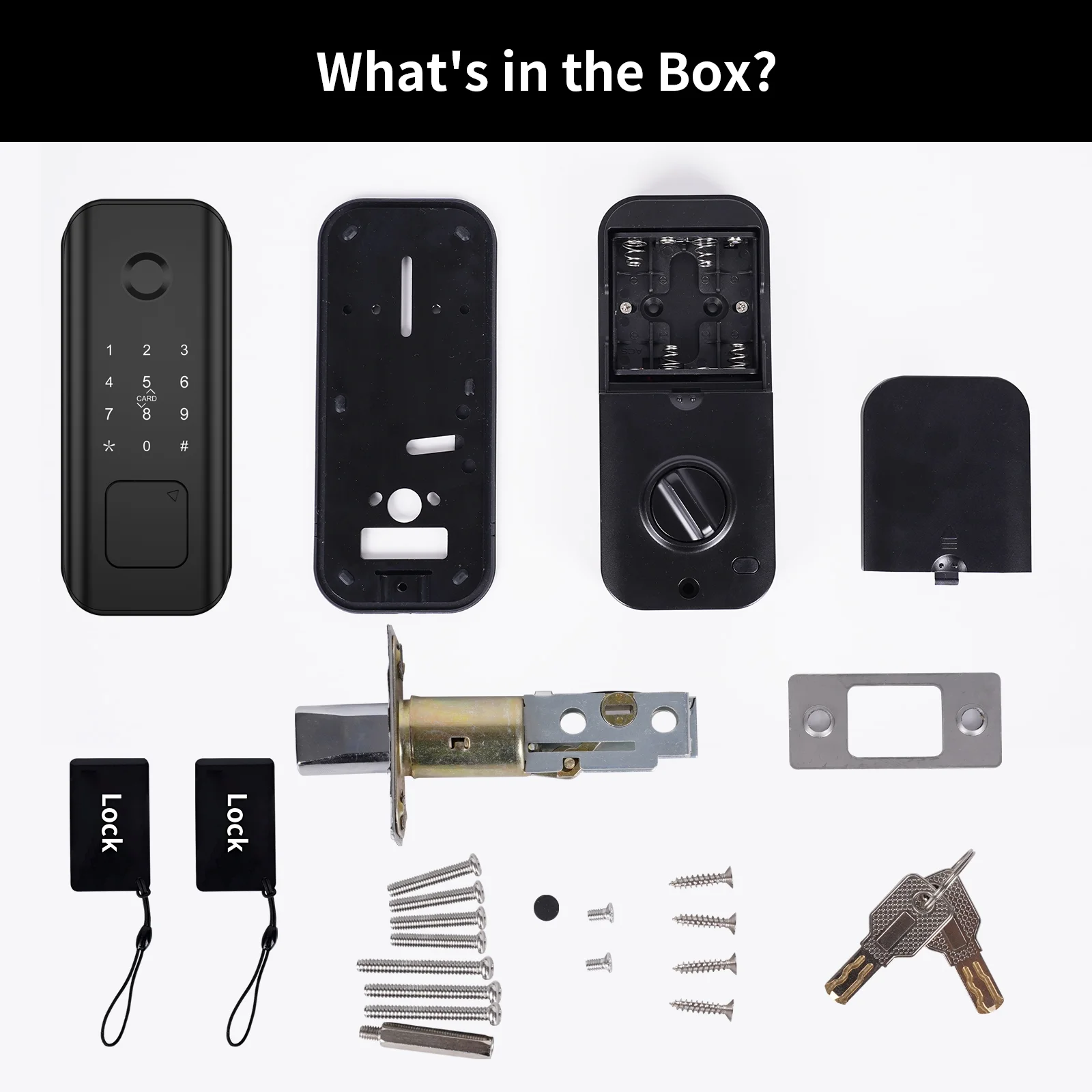
Storage capacity: 100 fingerprints, 100 sets of passwords, and 100 sets of IC cards(Equipped with 2 pcs)
Power supply: 4 AA batteries(not included)
Voice: Human voice
Low voltage alarm: 4.8V
Antistatic: Exposure +/-8KV Air+/-15KV
Standby current: <70uA
Dynamic power consumption: <200mA
Operating environment: -25 /-13°F ~+70 /158°F
Operating humidity: 0%~95%
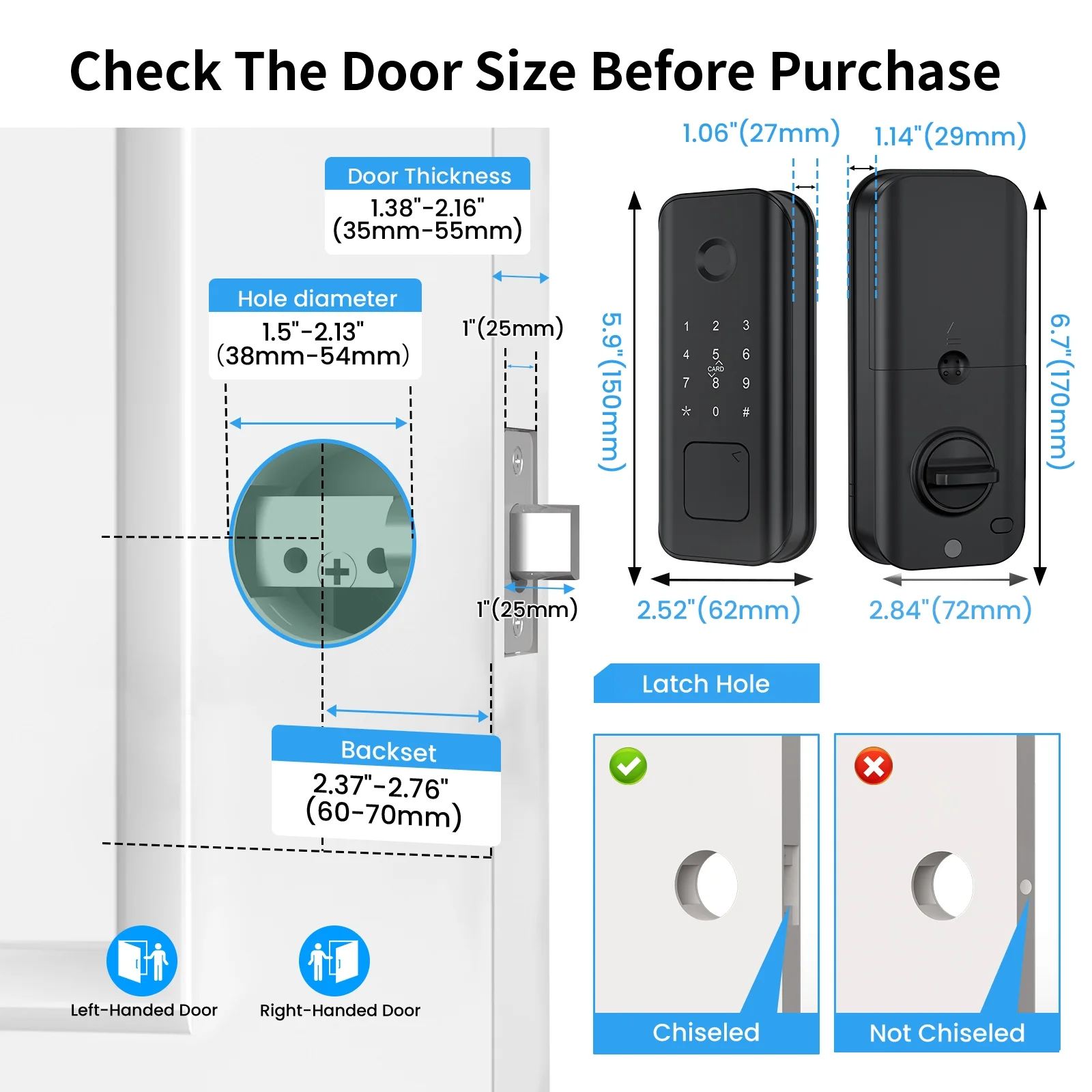
Applicable door thickness: 35MM-55MM(1.38″~2.17″)
Power supply interface: USB Type-C DC 5V/1A
Embrace a smarter, more convenient lifestyle. Multiple unlocking methods for home security, providing friendly and accessible options for children and the elderly.
Installation Instructions
1. Install the lock body with the UP arrow pointing upwards and the lock tongue retracted.
If it is not installed upwards according to the arrow, the installation is unsuccessful.
2. The default distance between the edge of the wooden door and the center hole of the lock body is 60mm. If the center distance is 70mm, you can rotate it upward and stretch out the excess part for installation.
If the distance between the center hole and the wooden door is 70mm and no excess part is stretched out, the installation is unsuccessful.
3. Before installation, you need to adjust the angle of the lock core lever. You must keep it in a position where you can rotate 90 up and down to insert it into the lock body hole.
If the angle is not right, after inserting it into the lock body hole, the lock tongue cannot be completely unlocked and locked abnormally.
4. After the front lock and lock core lever connection line are inserted into the door frame, turn the lock core lever 90 to check whether it is installed correctly.
If the lock core lever does not rotate normally, please check the previous step.
5. The correct installation method for the hardware fixing plate of the rear lock is to fit the side with the silicone pad on the wooden door and fix it with screws.
If the hardware fixing plate is installed upside down, the rear lock cannot be installed and fixed.
6. The connection wire and lock core lever of the front lock need to be correctly inserted into the lock body and door frame.
If the lock core lever is inserted in the wrong direction and the lock is not opened or closed normally, please check the previous step.
7. After the rear lock is installed, use 2 short screws to fix and tighten it in the battery compartment. Use 1 long screw to fix and tighten it under the rear lock.
If the screws are not tightened, the lock will shake or not unlock after long-term unlocking.
8. After the installation is completed, rotate the manual switch knob of the rear lock to test whether the switch and lock are normal.
If the switch and lock are not normal, please carefully check the above steps. Reinstall.
Key points:
1. When the door is unlocked by rotating the hand in the door, it will not lock automatically when closing the door. You need to press and hold the * button on the front lock panel to lock it.
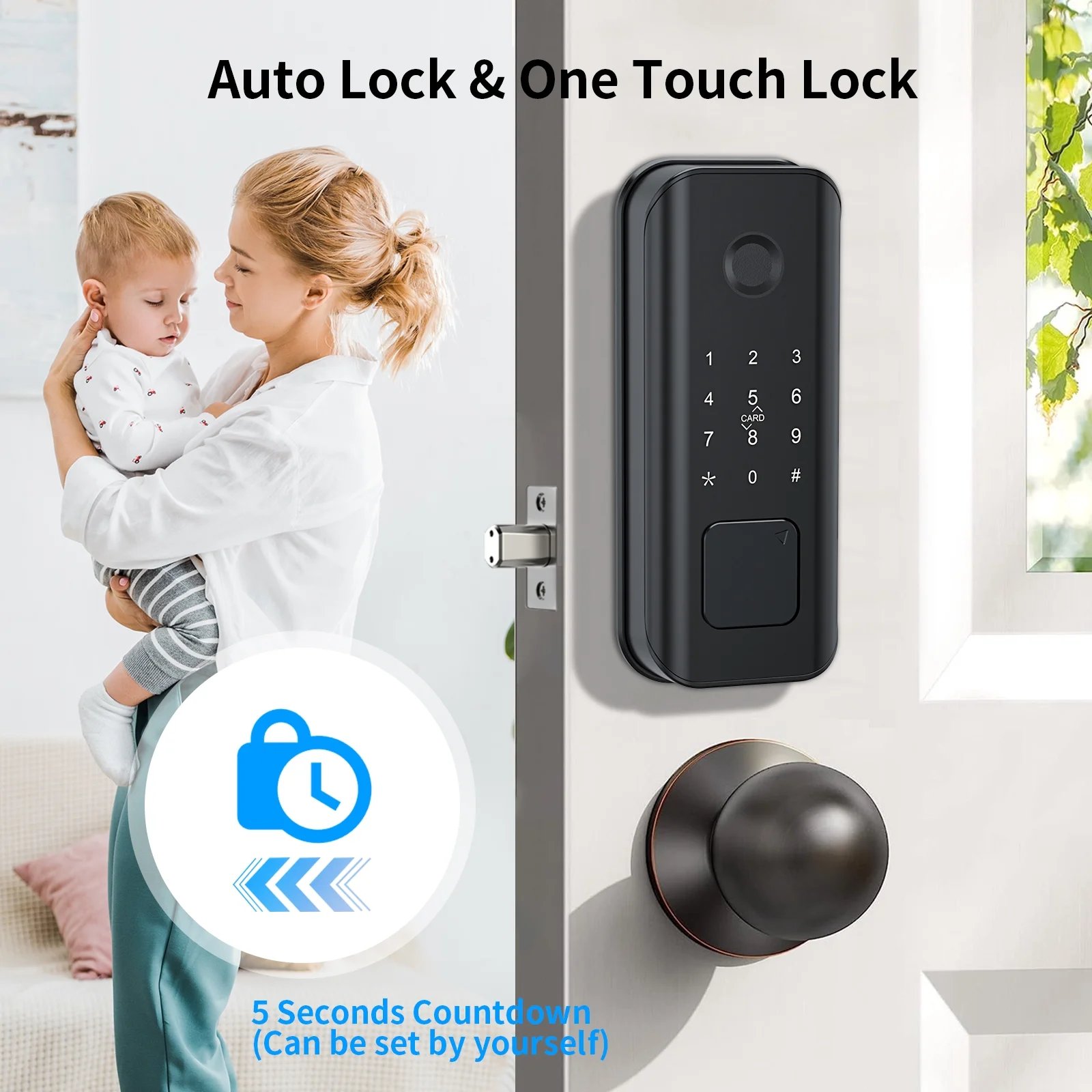
2. When the door is unlocked by pressing the button in the door and any fingerprint, password, or card is entered on the door panel, it will automatically lock within 5 seconds.
3. The door lock opens to the right by default. If you need to adjust it to the left, wake up the panel digital buttons and enter *61#. The management password is set successfully.
4. If after installation, long press the * key for 5 seconds and the lock fails to lock and the lock alarms, the left-open and right-open settings are wrong.
-
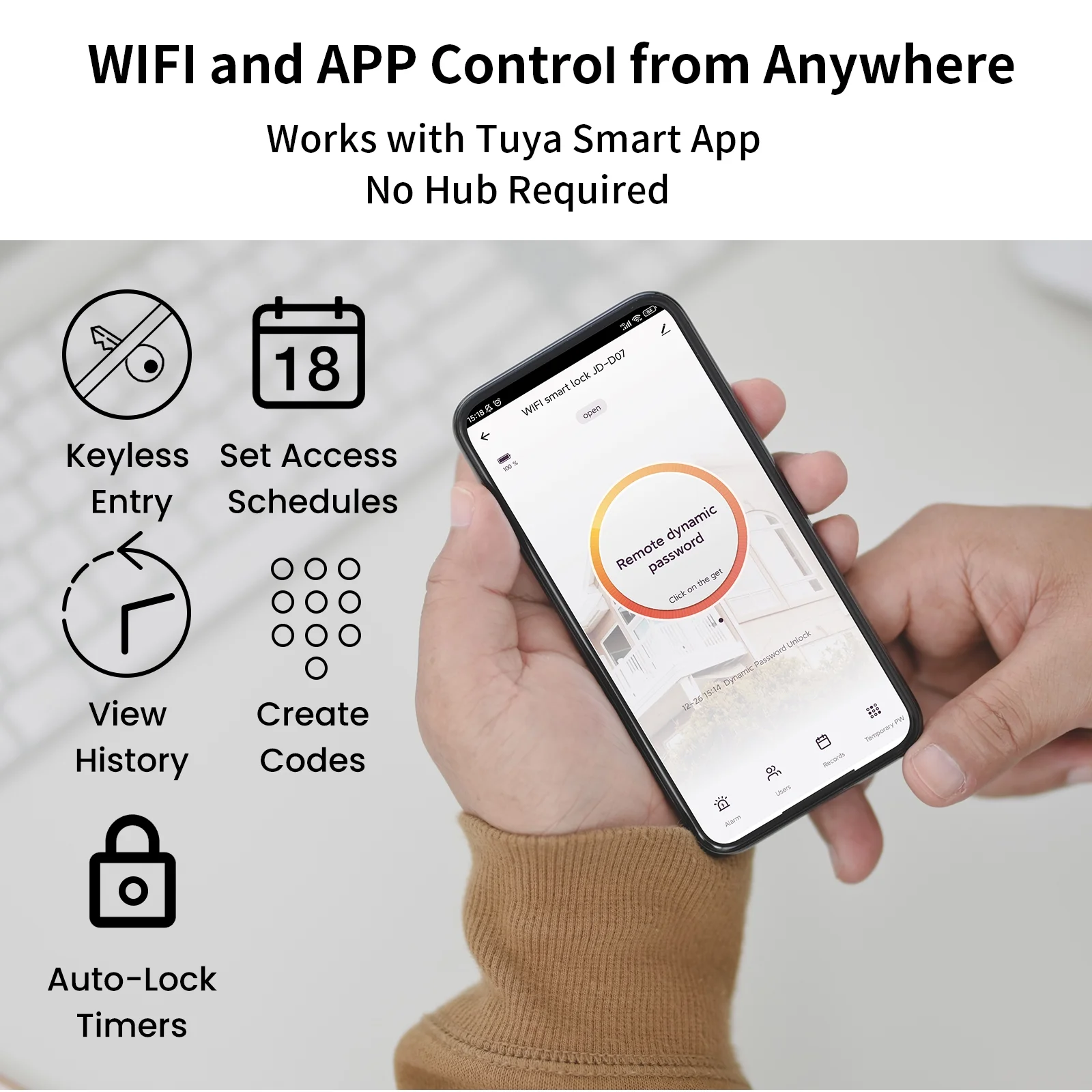
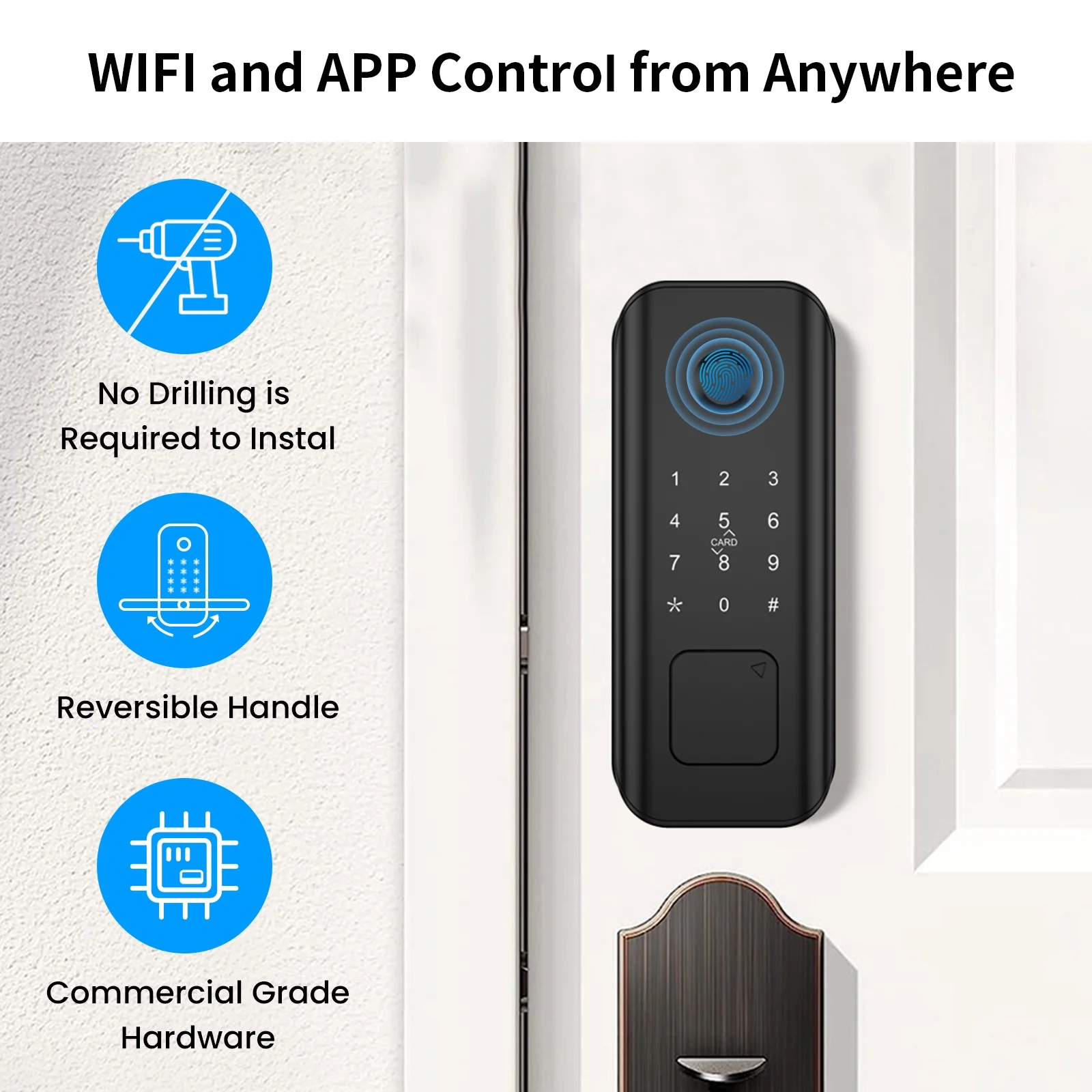
[WIFI Smart Lock & APP Control]: AUOSHI smart lock offers Wi-Fi connectivity for remote monitoring and unlocking. No additional hub is needed. With the “Tuya Smart”dedicated App(free), you can effortlessly:– Lock and unlock your door from anywhere– Manage passcodes by adding or deleting them– Access management– Monitor a detailed activity log, tracking entries and timestamps– Plus much moreYou can easily share keys or access codes with your family, guests, or service, granting them permanent, specific date, or time-limited access.
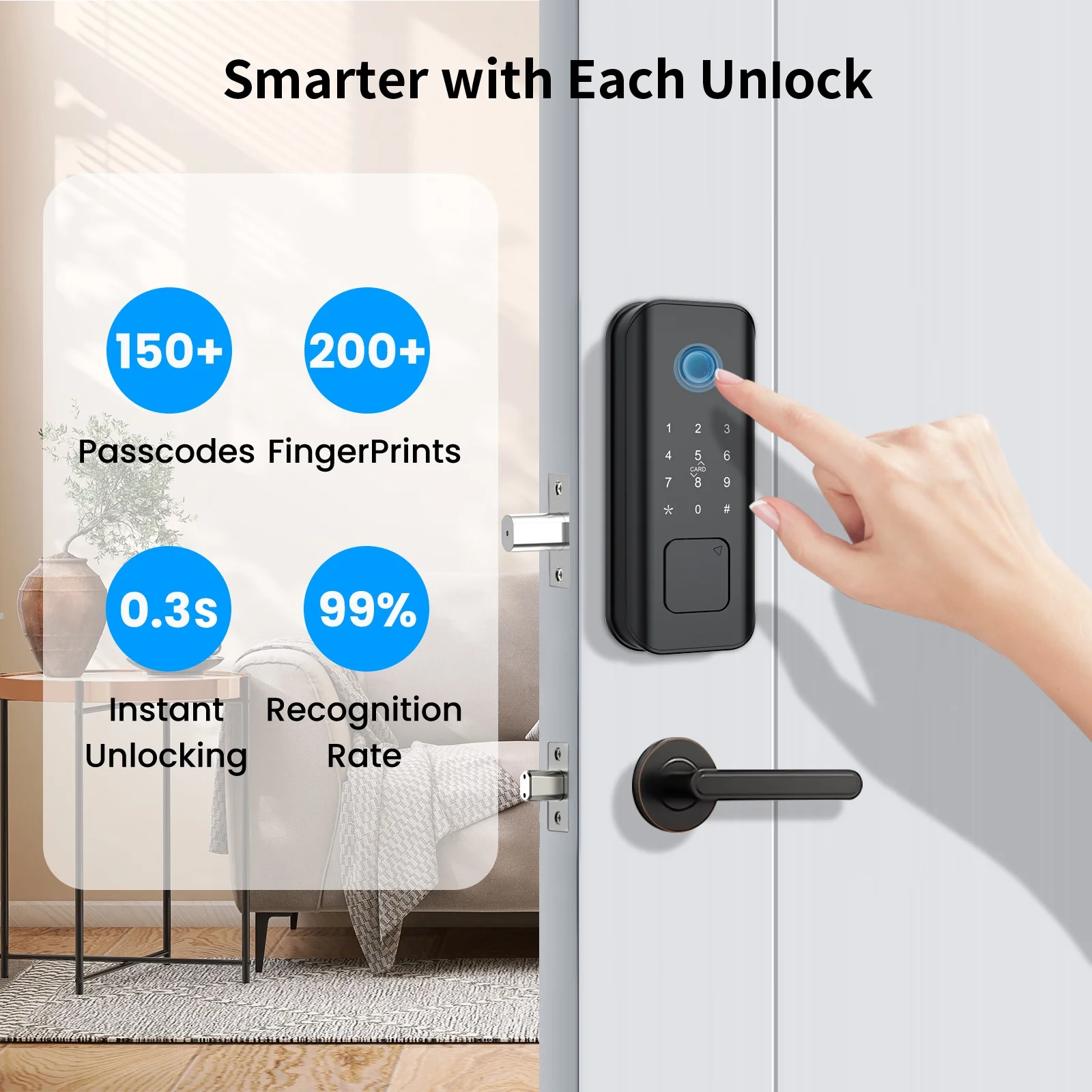
- [Fast & Secure Fingerprint Unlock]: Get access to your door in 1s! Our cutting-edge biometric fingerprint tech identifies your fingerprint in just 0.3 s, boasting a 99.99% accuracy rate. You can set up to 200 unlocking fingerprints.
- [Anti-Peep Smart Keypad]: Features durable matte material, and will not leave fingerprint marks.. The numbers keypad illuminates upon touch, easy code entry in the dark. The anti-peeping function allows you to enhance security by adding extra digits before or after your code, and the AUOSHI electronic door lock will still unlock.
- [One-Time Code]: AUOSHI keypad lock provides up to 100 access codes for family members. You can also use the App create one-time codes and schedule access windows for guests or another person. These one-time PIN codes are automatically deleted after use, ensuring maximum security.
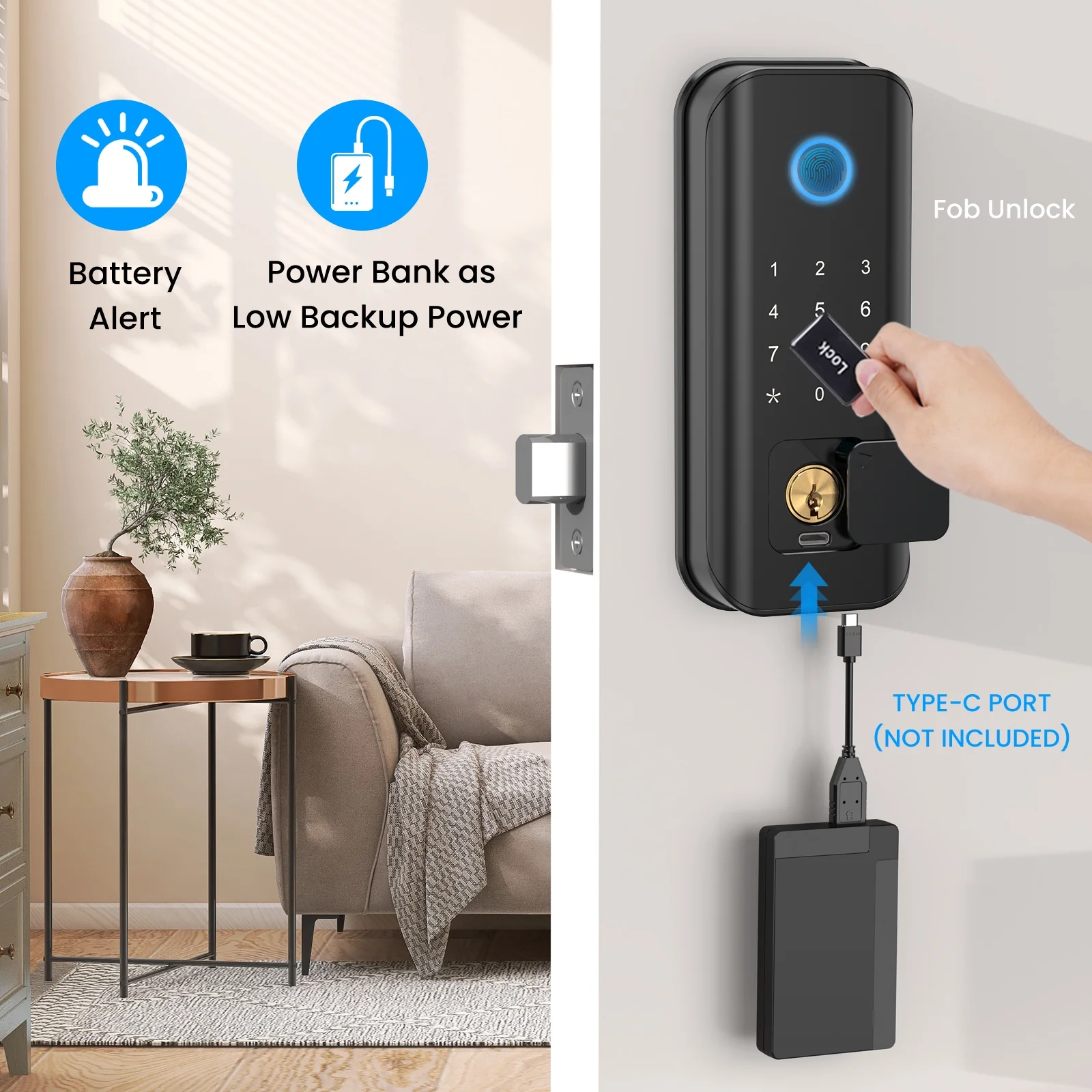
- [Equipped with 2 IC Cards]: Just touch the IC card to the smart lock’s keypad to instantly unlock it. Quick, easy, and convenient.
- [2 Auxiliary Mechanical Keys]: AUOSHI smart lock comes with two spare mechanical keys for emergency use in case of power depletion.
- [Auto Lock]: With an automatic locking function that engages after entry or exit. By default, the system initiates a 5-second countdown after unlocking. You can also customize the automatic locking interval, setting it anywhere between 8 to 69 seconds.
- [Security Locking]: Quickly lock/unlock with a 1s turn of the knob from inside. Activate deadlock mode by holding the inside on/off button for 2s; In this mode, the lock cannot be unlocked even with the correct code unless the admin passcode is used. Press 2s again to cancel this feature.
- [Easy Installation]: Easily replace your existing deadbolt without any special skills. Installation takes just minutes with only a screwdriver, and there’s no need for hardwiring. Suitable for both men and women. The door handle is reversible for both left and right handed doors. Fits doors between 1.38″ and 2.17″ thick. 4 AA batteries(not included) last 12 months or longer.
- [AUOSHI Smart Door Lock]: AUOSHI smart door lock is the ideal solution for short-term rental hosts, rental property managers, homeowners, and self-housing residents. Ideal new home gifts and any apartment essentials.
-
[More Features]:– Featuring quality metal construction that ensures strength and security.– IP65-rated smart lock is dust and weatherproof.– Human voice navigation– Multi-language selection– Emergency Type-C Interface: When the smart lock’s battery is depleted and no mechanical key, use the Type-C interface to provide temporary power.– Low voltage alarm: A “short beep” sounds 4 times in a 2-round cycle after unlock, and the keyword light flashes. The door can still be opened 200 times before battery replacement.– System Alarms: After 5 incorrect password attempts, the system alarms and enters a 180-second freeze countdown before automatically unfreezing.– Reset Function: To reset the smart lock to factory settings and clear all unlock passwords, press and hold the internal on/off button until you hear the prompt.
Kind tips:Before WiFi connection, need to set the administrator password first, otherwise the WiFi connection may not be successful.
Shipping
Standard shipping is free on every order to all 50 states.
Orders are processed within 1-2 business days before dispatch. Our order cutoff is 2:00 PM U.S. Central Time (CT, observing CST/CDT as applicable), Monday through Friday, excluding U.S. federal holidays.
Delivery typically takes 2-4 business days after dispatch to all 50 states, including Alaska and Hawaii. Transit estimates do not include processing time; delivery times are estimates, not guarantees.
Returns
Return eligible items within 30 days of delivery.
Condition: Items must be unused, in their original packaging, and in resalable condition.
Return Shipping and Fees: Return shipping is free. A prepaid return label ships with your order, and we do not charge restocking fees.
Dimensions & Specs
Product photos show scale and set contents — use them to judge sizes and counts before ordering. Need a measurement or piece count confirmed? Email support and we'll check the set for you.
Care Instructions
Store paper decorations flat in a dry place away from sunlight. Keep balloon and garland kits sealed until setup day, and handle honeycomb and tissue pieces by their edges.